HCI2  ·  Partido State University  ·  2026

Usability Evaluation
Web Report

A comprehensive documentation of heuristic evaluation and usability testing conducted on our midterm prototype — presented through Nielsen's 10 Usability Heuristics framework.

Heuristic Evaluation Usability Testing Nielsen's 10 Heuristics
Explore the Report ↓
The Team

Group Members

Meet the researchers and evaluators behind this usability study.

John Michael Belmonte

John Michael Belmonte

Compliance & Content Integrator

Jessica Vipinoso

Jessica Vipinoso

Lead Frontend Developer & Visual Designer

Jommel Pahuwayan

Jomel Pahuwayan

Data Analyst & Research Lead

Earl Francis Salvo

Earl Francis Salvo

UX Researcher & Multimedia Specialist

Jezel Dominguez

Jezel Dominguez

Documentation Specialist & Quality Observer
Phase 01

Data Gathering & Instruments

All instruments, consent forms, and respondent profiles used in our evaluation process.

📋

Consent Form

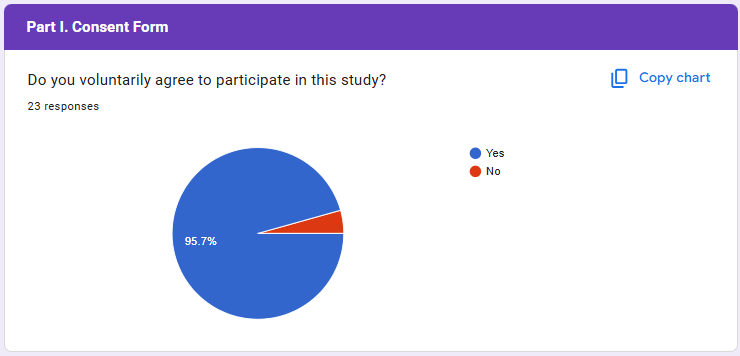
All participants provided informed consent prior to testing. The consent form outlined the purpose of the study, confidentiality terms, and voluntary participation rights.

View Consent Form →
👥

Respondents Profile

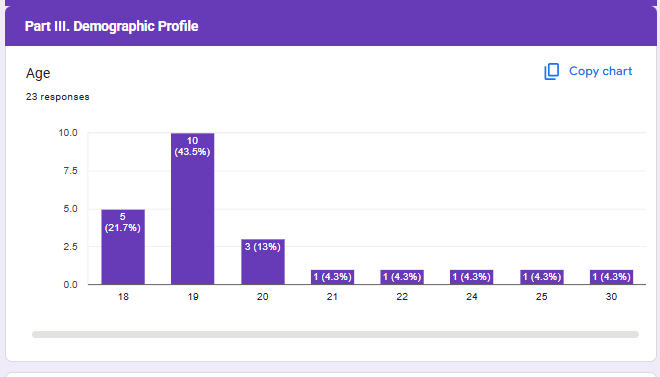
A total of 22 respondents participated in usability testing, selected based on familiarity with the system's target domain.

22Participants
4Male
18Female
20Average Age

Survey Instruments

01

Heuristic Evaluation Workbook

Each group member independently evaluated the prototype against Jakob Nielsen's 10 Usability Heuristics.

📄 View Workbooks (PDF)
02

Usability Testing Survey

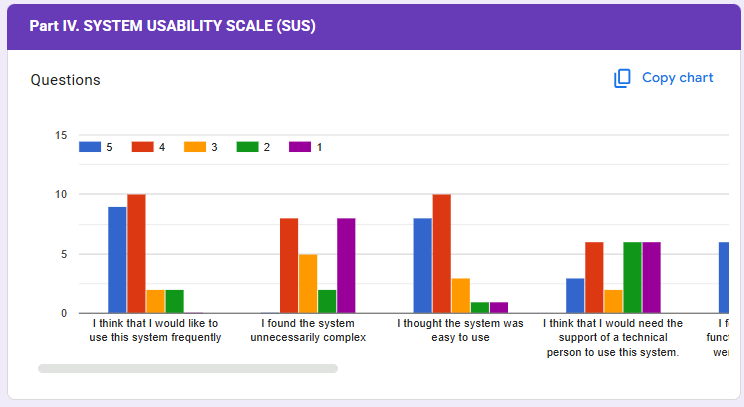
The primary survey instrument used for this study was the standardized System Usability Scale (SUS) , supplemented by a demographic profile and qualitative open-ended questions. This instrument was administered digitally using Google Forms to ensure efficient data collection and confidentiality.

📄 View Survey Instrument
Phase 02

Results, Discussion & Recommendations

Key usability findings, analysis of issues, and actionable design recommendations.

69%SUS Score
83.64%User Desire to Use
50%Perceived complexity
80%Ease of use
55.45%Need for technical support
80.91%Well-integrated functions
54.55%Inconsistency of the system
87.27%Speed of learning
51.82%Cumbersomeness
86.36%Confidence in using the system
60%Prior learning required

Key Issues Identified

Medium
Lack of undo/redo button

While users liked the ease of booking, there were no specific mentions of "undo" or "cancel" functions. In a high-stakes healthcare environment, ensuring users can easily back out of or change a mistaken appointment is critical.

H3: User Control and Freedom
Medium
Inconsistent navigation labels across pages

The survey result for "too much inconsistency" received a 2.73/5 score (54.55%). While not a failure, it suggests that certain elements (buttons, colors, or navigation patterns) may differ between the patient and doctor portals, causing slight confusion.

H4: Consistency & Standards
Medium
Lack of Chatbox

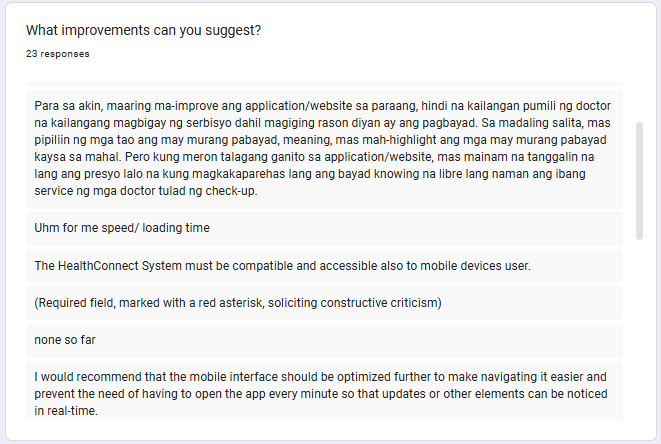
A significant improvement suggestion was the inclusion of a "chatbox" to ask questions before the appointment. This indicates a heuristic gap where users feel they might make an "error" in booking the wrong type of service or doctor without a preliminary communication channel.

H5: Error Prevention
Medium
No mobile support or integrated payment

Users explicitly suggested adding online payments and mobile accessibility. The lack of a mobile-optimized view is a major efficiency barrier for "expert" or frequent users who wish to book appointments on the go

H7: Flexibility and Efficiency of Use
Low
Dense information layout on some pages

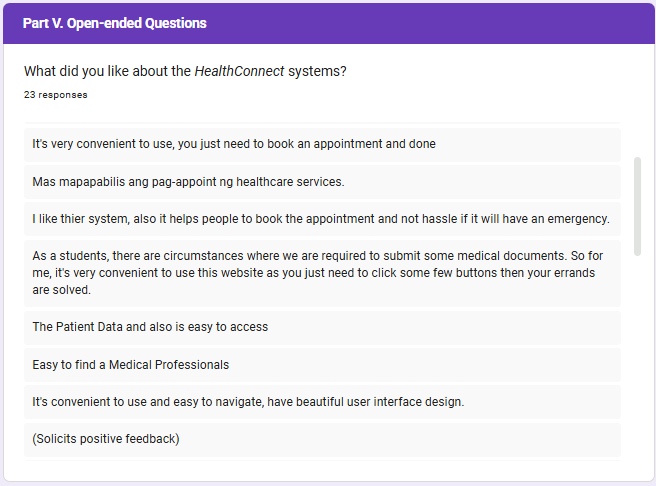
Qualitative remarks mentioned a "beautiful user interface design." However, the moderate score for "Complexity" (2.5/5 for being unnecessarily complex) suggests that some pages might contain redundant information that could be simplified.

H8: Aesthetic & Minimalist Design
High
Unnecessary Complex

Given the complexity score, if a user encounters an error (e.g., a booked-out slot), the system must provide clear, non-technical instructions on how to proceed.

H9: Help Users Recognize, Diagnose, and Recover from Errors
Medium
Minimal help documentation

First-time users had difficulty navigating without guidance; no tooltips or onboarding present. Participants gave the highest "Negative" score to the "Need for prior learning" (60%) and "Support of a technical person" (55.45%). This identifies a critical need for a "Help" section, FAQs, or a simple "How-to" guide to assist users who are not tech-savvy.

H10: Help & Documentation

Discussion of Results and Findings

The usability evaluation of the HealthConnect prototype yielded an overall System Usability Scale (SUS) score of 69, which marginally surpasses the industry standard average of 68.

The quantitative data reveals a high degree of user confidence (86.36%) and a strong consensus that the system is easy to learn (87.27%), with an average "Ease of Use" rating of 4.0/5. However, the results also highlight certain friction points, specifically regarding perceived complexity (50%) and the requirement for prior learning (60%), suggesting that while the system is functional, it is not yet fully intuitive for all user segments.

The findings indicate that HealthConnect successfully meets the primary goal of providing a convenient and efficient booking process, as evidenced by the high percentage average for frequent use (83.64%). The discrepancy between the high "Ease of Use" score and the moderate "Complexity" score suggests that while the core workflow (booking an appointment) is straightforward, the secondary features or the density of the user interface may feel overwhelming to first-time users. Qualitative feedback reinforces this, as users praised the system’s "hassle-free" nature but simultaneously requested more advanced features like integrated payments and real-time chat.

The SUS score of 69 classifies the system as "Good," but implies it is currently in a transitional phase between a functional prototype and a highly optimized, professional-grade application.

Design Recommendations

💬

Implement Feedback Mechanisms

Add toast notifications, loading spinners, and success/error messages to every form interaction and system action.

🧭

Standardize Navigation Labels

Conduct a content audit and unify all navigation terminology using a shared design system and component library.

🛡️

Add Input Validation

Implement real-time validation on all form fields with clear inline error messages before data is submitted.

📖

Create Help Documentation

Develop a contextual help system with tooltips, an FAQ section, and an onboarding tutorial for new users.

🎨

Simplify Dashboard Layout

Restructure using progressive disclosure — show summary metrics first, with details accessible on demand.

♻️

Re-test After Iteration

Conduct a follow-up usability test after implementing changes to measure improvement in success and satisfaction.

Heuristic Evaluation Workbook

Full individual evaluations from all 5 members.

📄 View Full Workbook (PDF)
Extra · Optional

Prototype Walkthrough

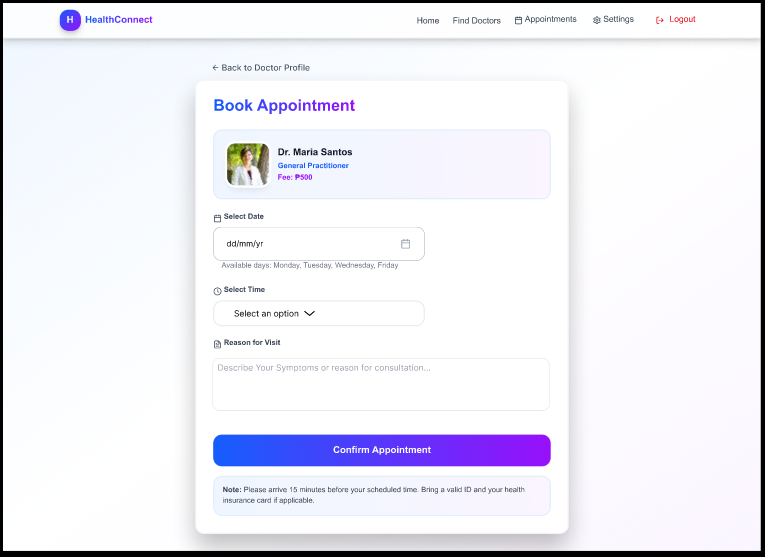
A visual tour of the prototype's key screens and interaction flows evaluated during testing.

01

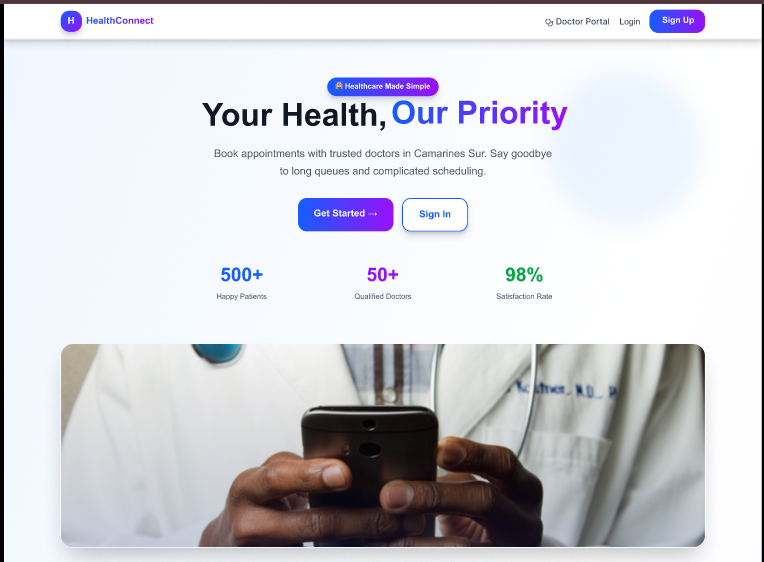
Landing / Login Screen

The entry point of the prototype. Users authenticate via a login form.

Login Screen Screenshot
02

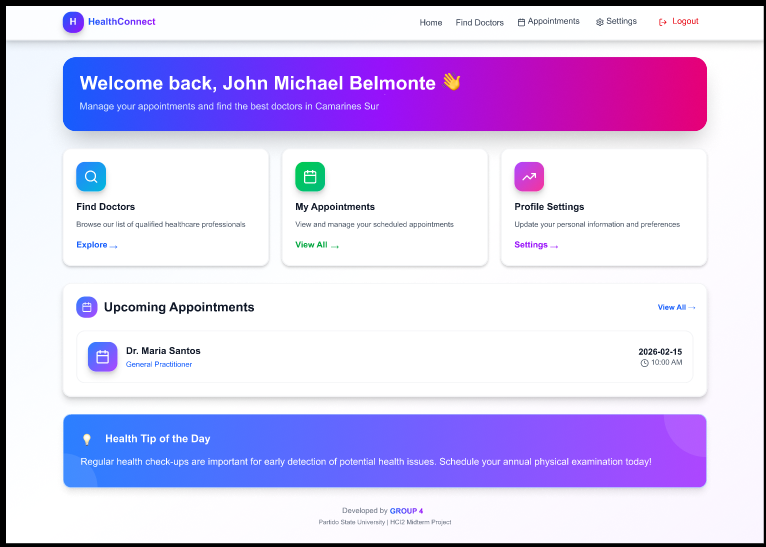
Dashboard / Home

The main hub displaying key information.

Login Screen Screenshot
03

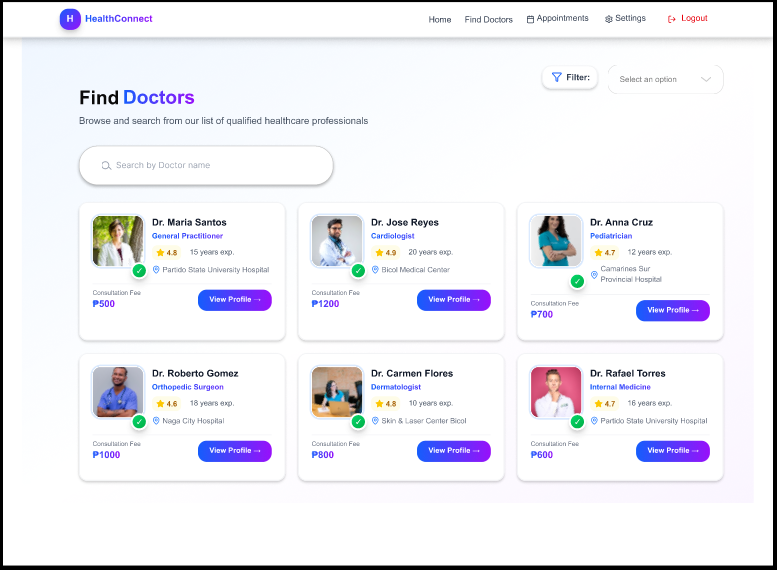
Search Doctor

The step to look for a specific doctor that the user needs to book an appointment.

Login Screen Screenshot
04

Core Feature Flow

The primary task flow users were asked to complete.

Login Screen Screenshot

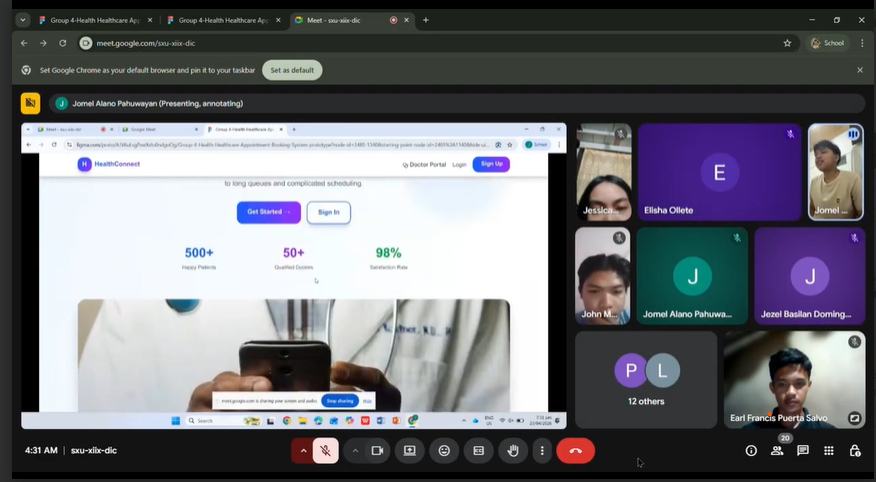
Video Demonstration

Extra · Optional

Reflections

Personal insights from each team member on the evaluation process and learnings.

JMB

John Michael Belmonte

Conducting the heuristic evaluation opened my eyes to how small design decisions create large usability barriers. I learned to evaluate systems not just as a developer, but as a user.
JV

Jessica Vipinoso

Analyzing data and finding patterns across multiple respondents was challenging but rewarding. The numbers told a clear story about where our design fell short.
JP

Jomel Pahuwayan

Facilitating usability tests taught me the importance of neutral observation. Watching real users interact with our prototype was both humbling and incredibly informative.
EFS

Earl Francis Salvo

Nielsen's heuristics gave us a shared vocabulary to discuss design problems. I'll carry this framework into every future project as a first-pass evaluation tool.
JD

Jezel Dominguez

Documenting every step made me realize how important traceability is in UX research. Good documentation transforms findings into actionable improvements.

© 2026 Group 4 — HCI2 Final Project · Partido State University, Goa, Camarines Sur